Good alternative text editor for writers

When you're trying to work on a novel or another type of large writing project, basic word editing programs just don't cut it. With a typical writing program, you either need to save your novel by individual chapters or as one large chunk of a document. Either way, it's inconvenient and not ideal for organizing your ideas. yWriter simplifies the process of organizing your writing projects.

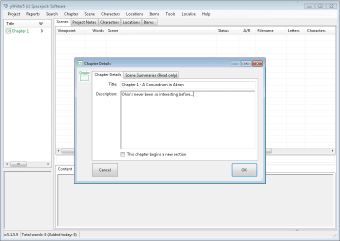
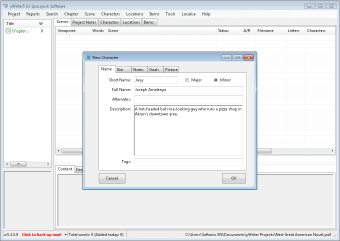
yWriter allows you to create separate folders for your individual projects. From there, you can take organization one step further and divide each project into separate chapters. yWriter isn't just about writing the main body of your project though. You can also store notes about characters, locations, items and scenes. In addition, yWriter will keep a tally of the number of words you've written in your entire project, as well in separate chapters or scenes.

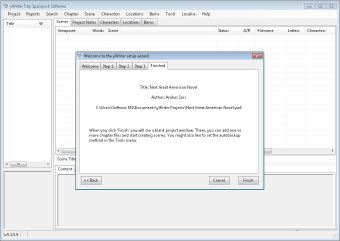
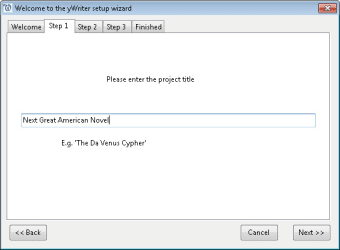
Another nice thing about yWriter is that it offers a project wizard that is quite helpful for people who are new to the program. In addition, there is an option to perform weekly checks for newer versions of yWriter, so you will be informed the moment the next version becomes available.

Unfortunately, yWriter's interface is a little plain, especially compared to other text editing programs like Scrivener. Its features, however, match up quite nicely to other similar writing tools.

For aspiring writers who need a free and effective way to organize projects, yWriter is a good choice.

  • Pros

    • Easy to use
    • Multiple categories in which to organize your projects
    • Built-in word counter
    • New project wizard for first-time users
    • Auto-check feature for new versions
  • Cons

    • Plain interface
 0/4

App specs

Also available in other platforms

Program available in other languages


Icon of program: yWriter

yWriter for PC

  • Free
  • 3.6
    122
  • 49.1K
  • V7.1.3.0

User reviews about yWriter

3.6

1 reviews

Add review

Main reviews for you

  • Anonymous user

    Used the program on a friends computer (Windows) and found it wonderful, . It is too bad that it doesn't come in MAC X format. I don't own nor want a Windows computer.

More

You may also like

Alternatives to yWriter

Explore Apps

Latest articles

Laws concerning the use of this software vary from country to country. We do not encourage or condone the use of this program if it is in violation of these laws.
Softonic

Is yWriter safe?

100/100

Score result: Clean

This file passed a comprehensive security scan using VirusTotal technology. It is safe to download.

  • Virus free
  • Spyware free
  • Malware free
  • Verified by Security Partners

    VirusTotal logo

Scan Info

Last scan
Wednesday, April 24, 2024
Scan provider
VirusTotal · Full report

File Integrity

File
yWriter7Full.exe
SHA256
2ba1929bc680a6b24b64e7073561ef7101776f175e69f67df4f1cbb9682fdfa6
SHA1
d9a316873b97e548ae6261c277972d170e799002

Softonic security commitment

yWriter has been thoroughly scanned by our advanced security systems and verified by industry-leading partners. This file comes from the official developer and has passed all our security checks, showing no signs of viruses, malware, or spyware. For more information, visit our Security and Trust Center